Automation that clears the busywork
Trigger, condition, action — no code, no Zapier tax
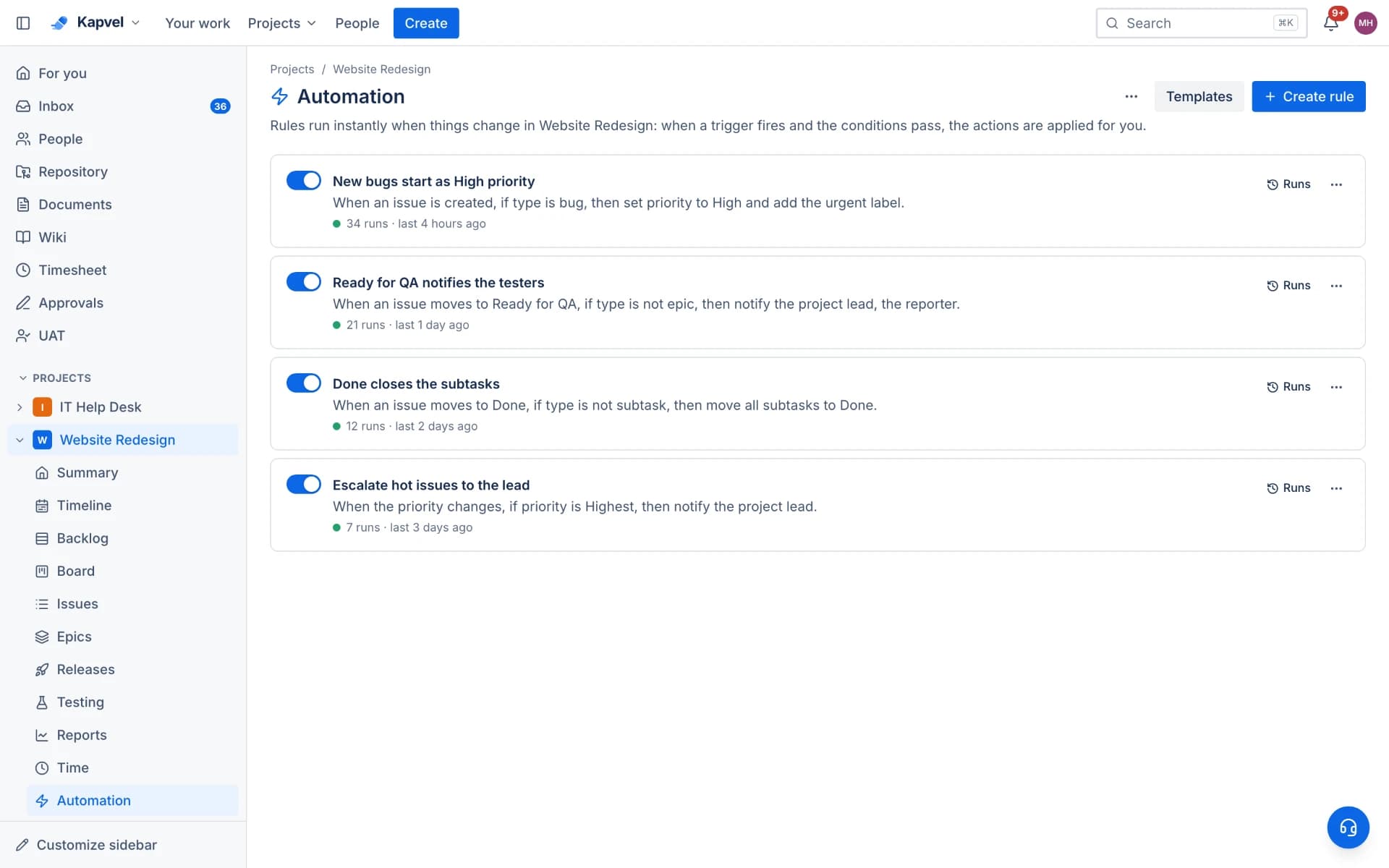
Every team has rules everyone forgets: bugs go to the on-call, urgent tickets ping the lead, done stories notify the reporter. Kapvel automation encodes them as trigger-condition-action rules that run in the background and log everything they do.
Rules in plain language
Pick a trigger (issue created, status changed, comment added), add conditions (type is bug, priority is high, label contains "customer"), choose actions (assign, transition, set field, notify). The builder reads like the sentence you would say out loud.
Accountable by design
Every execution is logged with what triggered it and what changed, and automation actions appear in the issue activity stream attributed to the rule. When something surprises you, the answer is one click away.
Fair limits
Free workspaces get 100 runs a month, Standard 1,000, Premium unlimited — enough to automate real workflows before paying a cent.
See it live
This is a real interactive demo — click around, nothing to install.
Agile boards that feel alive
Scrum and Kanban boards with drag-and-drop, custom columns, filters, story points, and realtime sync — when a teammate moves a card, you see it instantly. Plan sprints in the backlog, then complete them with automatic rollover.
- Sprints with burndown, velocity, and cumulative flow reports
- Epics, stories, tasks, bugs, and subtasks with rich descriptions
- Backlog planning with ranking, bulk moves, and story points
- Timeline view with drag-to-resize epic bars
Sprint 14
4 days leftComplete sprintOAuth token refresh flow
Empty state illustrations
Fix flaky payment webhook
Checkout flow polish
Sprint burndown widget
Frequently asked questions
What can automation rules do?
Assign issues, change statuses, set fields and labels, and send notifications, driven by triggers like creation, transitions, and comments with conditional filters.
Can I audit what a rule did?
Yes — the run history logs every execution, and changes show in the issue activity attributed to the rule by name.
How many automation runs do I get?
100 per month free, 1,000 on Standard, unlimited on Premium.
Keep exploring
Your team, out of eight tabs by Friday
Start free, invite the team, and import your existing projects in minutes. Boards, docs, and support — finally on speaking terms.