Sprint planning without the spreadsheet gymnastics
Backlog to sprint to burndown, in one flow
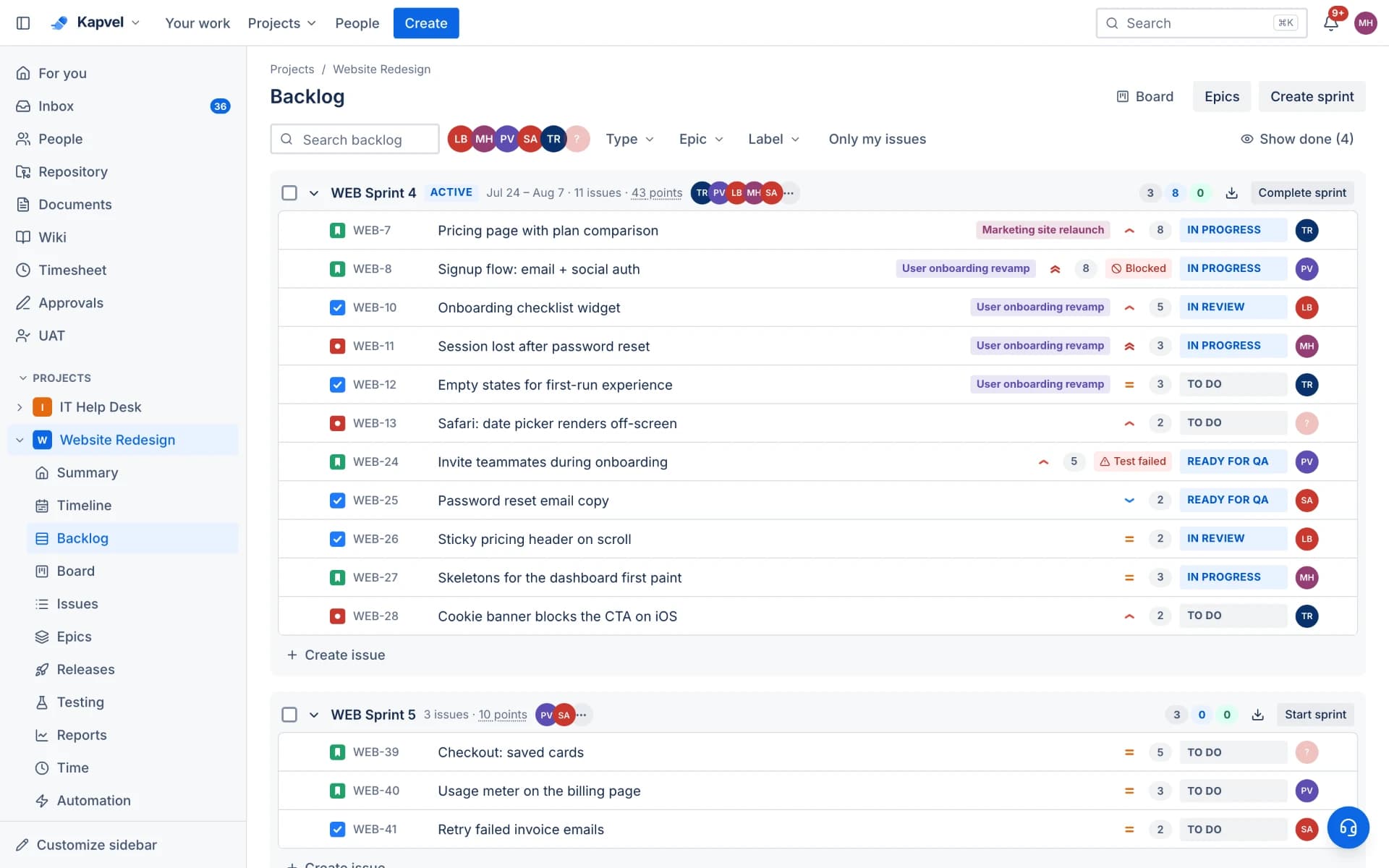
Kapvel's backlog is a single ranked list you can actually manage: drag issues between sprints, estimate inline, and see committed points update as you plan. Starting a sprint takes one click and every chart downstream fills itself in.
Grooming that keeps up with you
Rank with drag-and-drop, split stories into subtasks, assign work types and estimates inline, and filter by epic, label, or assignee. The backlog and the active sprint live on one screen, so planning is a conversation, not a context switch.
Sprints with real accounting
Each sprint tracks committed versus completed points, carries a goal, and closes with one click — unfinished issues roll into the next sprint or back to the backlog, your choice. The sprint history feeds velocity so your forecasts are grounded in what the team actually shipped.
- Sprint goals visible on the board
- Automatic rollover on completion
- Velocity and burndown with zero setup
Epics that span sprints
Group stories under epics with start and due dates, watch progress roll up automatically, and view everything on a timeline for stakeholder conversations. Epic progress also appears in reports, so long-running initiatives stay honest.
See it live
This is a real interactive demo — click around, nothing to install.
Agile boards that feel alive
Scrum and Kanban boards with drag-and-drop, custom columns, filters, story points, and realtime sync — when a teammate moves a card, you see it instantly. Plan sprints in the backlog, then complete them with automatic rollover.
- Sprints with burndown, velocity, and cumulative flow reports
- Epics, stories, tasks, bugs, and subtasks with rich descriptions
- Backlog planning with ranking, bulk moves, and story points
- Timeline view with drag-to-resize epic bars
Sprint 14
4 days leftComplete sprintOAuth token refresh flow
Empty state illustrations
Fix flaky payment webhook
Checkout flow polish
Sprint burndown widget
Frequently asked questions
Does Kapvel calculate velocity automatically?
Yes. Velocity is computed from completed story points across closed sprints, and burndown updates live during the sprint. Neither needs configuration.
What happens to unfinished issues when a sprint ends?
When you complete a sprint, Kapvel offers to move unfinished issues to the next sprint or back to the backlog — the same behavior Scrum teams expect from Jira.
Can I plan capacity in hours instead of points?
Issues carry both story points and time estimates. Time tracking is built in, so you can compare estimated versus logged hours per issue, per person, or per sprint in the timesheet views.
Keep exploring
Your team, out of eight tabs by Friday
Start free, invite the team, and import your existing projects in minutes. Boards, docs, and support — finally on speaking terms.