Leave Jira without leaving your history
Projects, sprints, issues, comments, attachments — all of it
Switching trackers usually means abandoning years of context. Kapvel's Jira importer connects to your Jira Cloud site, discovers projects, and recreates them here: boards, sprints with their history, epics and subtasks, statuses, comments, and attachments — with issue keys preserved.
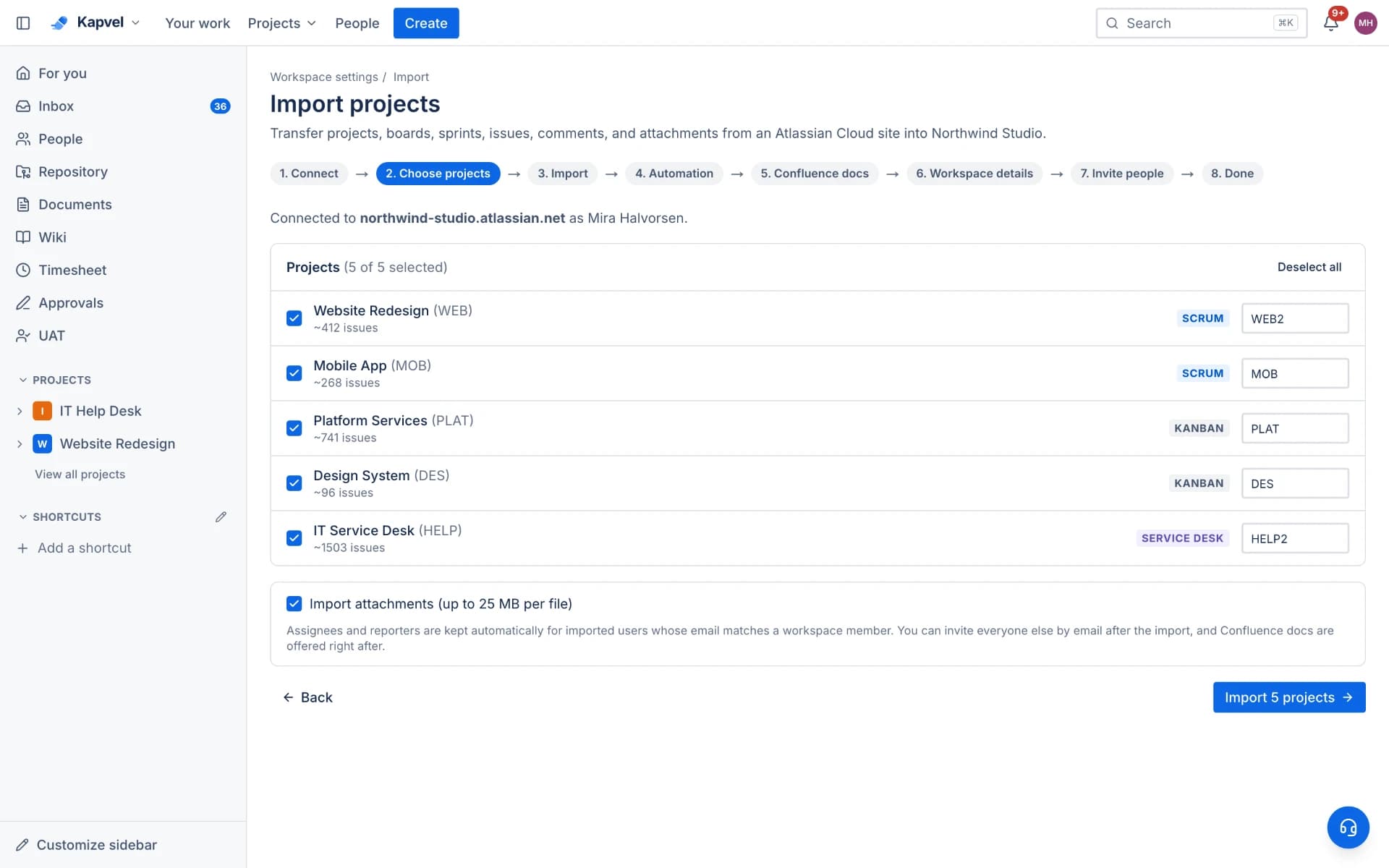
Guided, not scripted
A five-step wizard: connect with an API token, pick projects, watch progress live per project, invite your teammates by email, done. No CSV surgery, no consultant. Re-running an import is idempotent — already-imported issues are skipped, so you can migrate team by team.
What comes across
- Projects with boards, statuses, and issue types
- Sprints (closed, active, future) with dates and points
- Issues with descriptions, comments, labels, links, and attachments
- Epics and subtask hierarchies
- People mapping with email invites for the rest
Confluence too
Moving the tracker usually means moving the wiki. The companion Confluence importer brings spaces with full page hierarchy, images, and tables into Kapvel Docs — and can re-sync while you transition.
See it live
This is a real interactive demo — click around, nothing to install.
Agile boards that feel alive
Scrum and Kanban boards with drag-and-drop, custom columns, filters, story points, and realtime sync — when a teammate moves a card, you see it instantly. Plan sprints in the backlog, then complete them with automatic rollover.
- Sprints with burndown, velocity, and cumulative flow reports
- Epics, stories, tasks, bugs, and subtasks with rich descriptions
- Backlog planning with ranking, bulk moves, and story points
- Timeline view with drag-to-resize epic bars
Sprint 14
4 days leftComplete sprintOAuth token refresh flow
Empty state illustrations
Fix flaky payment webhook
Checkout flow polish
Sprint burndown widget
Frequently asked questions
What do I need to run the Jira import?
Your Jira Cloud site URL, your email, and a Jira API token. Admin rights in the Kapvel workspace, and a few minutes.
Are attachments and comments included?
Yes — comments come across with author attribution preserved in the history, and attachments transfer up to the plan's size limits.
Can I import in stages?
Yes. Imports are idempotent and per-project, so you can move one team now and the rest later without duplicates.
Is there a limit on the Free plan?
Free workspaces can import up to 50 issues to evaluate the experience; paid plans import everything.
Keep exploring
Your team, out of eight tabs by Friday
Start free, invite the team, and import your existing projects in minutes. Boards, docs, and support — finally on speaking terms.