QA and client acceptance, inside the tracker
Test cases, runs, and UAT sign-off next to the stories
Kapvel's Testing module keeps quality work where development happens. Write test cases against stories, group them into runs for a release or sprint, execute with pass/fail/blocked states, and close the loop with client-facing UAT sign-off — signatures included.
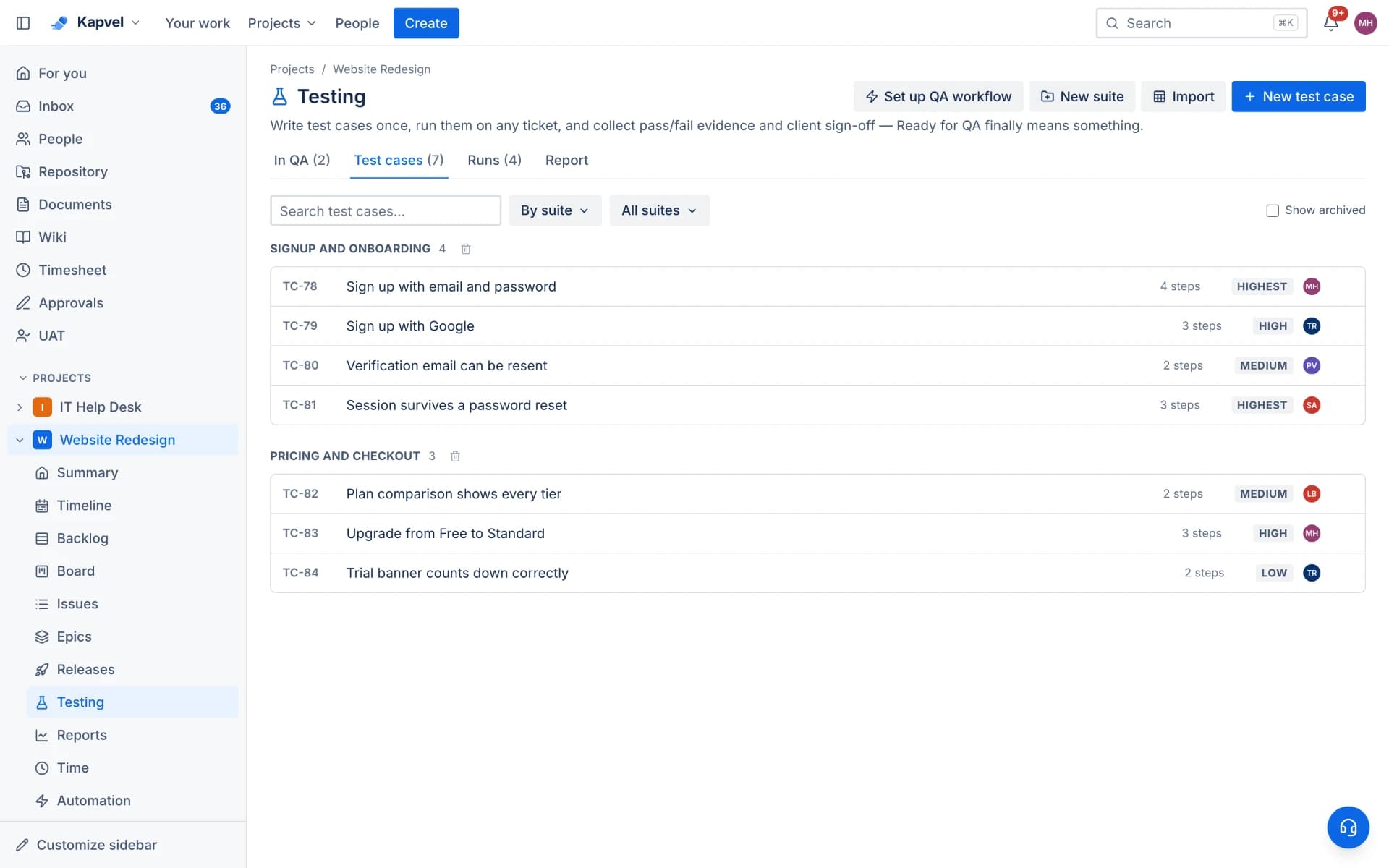
Test cases that trace to work
Cases carry steps, expected results, and links to the issues they verify. When a case fails, file the bug in one click with the failing step pre-filled — traceability without the TestRail-to-Jira sync dance.
Runs for every cycle
Group cases into runs per release, sprint, or platform. Assign testers, execute with keyboard-fast pass/fail/blocked marking, and watch completion roll up live. History shows how a case behaved across runs.
UAT that clients actually complete
Send acceptance runs to clients: they review, test, and sign off with a real signature — no account gymnastics. The signed acceptance record attaches to the release, ending "but we never approved this" disputes.
AI-assisted authoring
Point AI test generation at a story and get draft cases with steps and expected results, ready to edit. Coverage grows at review speed instead of typing speed.
See it live
This is a real interactive demo — click around, nothing to install.
“Ready for QA”, actually ready
The module trackers never shipped: test cases live on the ticket, testers run them step by step with evidence, and your client signs off with a real signature. AI drafts the test cases straight from the ticket description.
- AI writes test cases from the ticket — review, tweak, accept
- Step-by-step runs: pass, fail or skip with notes & screenshots
- Client UAT in the portal, sealed with a drawn signature
- Automation: Ready for QA creates runs; a fail reopens the ticket
Frequently asked questions
Can clients sign off on UAT without a full account?
Yes — UAT runs are built for external reviewers, ending in a signed acceptance recorded with the release.
Does a failing test create a bug automatically?
One click files a linked bug with the failing case and step attached, in the same project as the story under test.
Is Testing an add-on?
Testing is included in Premium or available as a $12 add-on on Standard.
Keep exploring
Your team, out of eight tabs by Friday
Start free, invite the team, and import your existing projects in minutes. Boards, docs, and support — finally on speaking terms.