Slide decks that live with the work
Sprint reviews and kickoffs without leaving the workspace
Kapvel Presentations is a full deck editor in the wiki: themes, layouts, shapes, speaker notes, and browser-native present mode. Import an existing .pptx and keep editing; export one when someone insists on PowerPoint.
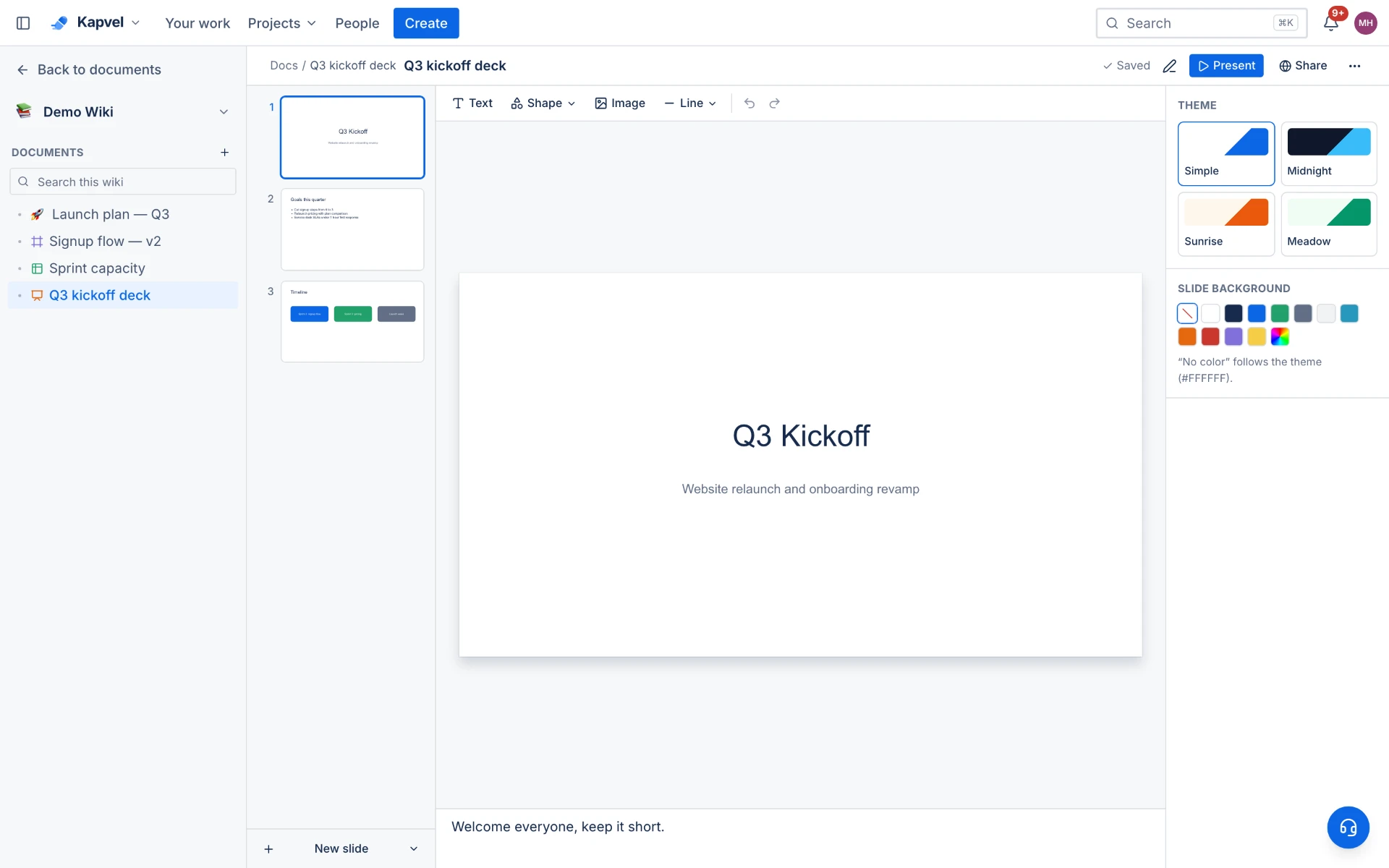
Everything a working deck needs
Text with rich formatting, shapes with labels, images, four built-in themes, and slide layouts for titles, content, and comparisons. The 16:9 canvas maps one-to-one to PowerPoint dimensions so imports and exports stay faithful.
Present from the browser
Full-screen present mode with keyboard navigation and speaker notes. Sprint review decks link directly to the boards and reports they summarize — no more screenshots of screenshots.
Deck sign-off
Client-facing deck? Anchor a signature request to a slide and get formal approval before it ships. The signed record stays with the deck.
See it live
This is a real interactive demo — click around, nothing to install.
Decks that live with the work
A real slide editor — text, shapes, images, and charts on a canvas with drag, resize, and rotate. Import .pptx decks, export back to PowerPoint, and present full-screen without leaving the workspace.
- Canvas editing with snap guides, layers, and themes
- Import .pptx / export .pptx — round-trip with PowerPoint
- Present mode with keyboard navigation and slide counter
- Live multiplayer editing, same as docs and sheets
Q3 Business Review
Boards, docs, sheets, and support — one quarter, one story.
Frequently asked questions
Can I import PowerPoint files?
Yes — .pptx import recreates slides, text, shapes, and images as editable Kapvel slides. Export back to .pptx is one click.
Can I present directly from Kapvel?
Yes, present mode runs full-screen in the browser with keyboard controls and speaker notes — no download required.
Are decks collaborative?
Decks live in the wiki with the same sharing, comments, and approvals as pages — multiple editors can work on a deck and discuss it in the side panel.
Keep exploring
Your team, out of eight tabs by Friday
Start free, invite the team, and import your existing projects in minutes. Boards, docs, and support — finally on speaking terms.