A wiki that lives where the work happens
Specs, runbooks, and meeting notes — linked to real issues
Kapvel Docs is a full collaborative wiki: spaces with page trees, live multiplayer editing, inline comments, and @mentions that actually notify people. Link any issue into a page and it renders as a live chip with its current status.
Because docs and boards share one workspace, a spec can reference the stories implementing it — and the other way around — without pasting URLs between tools.
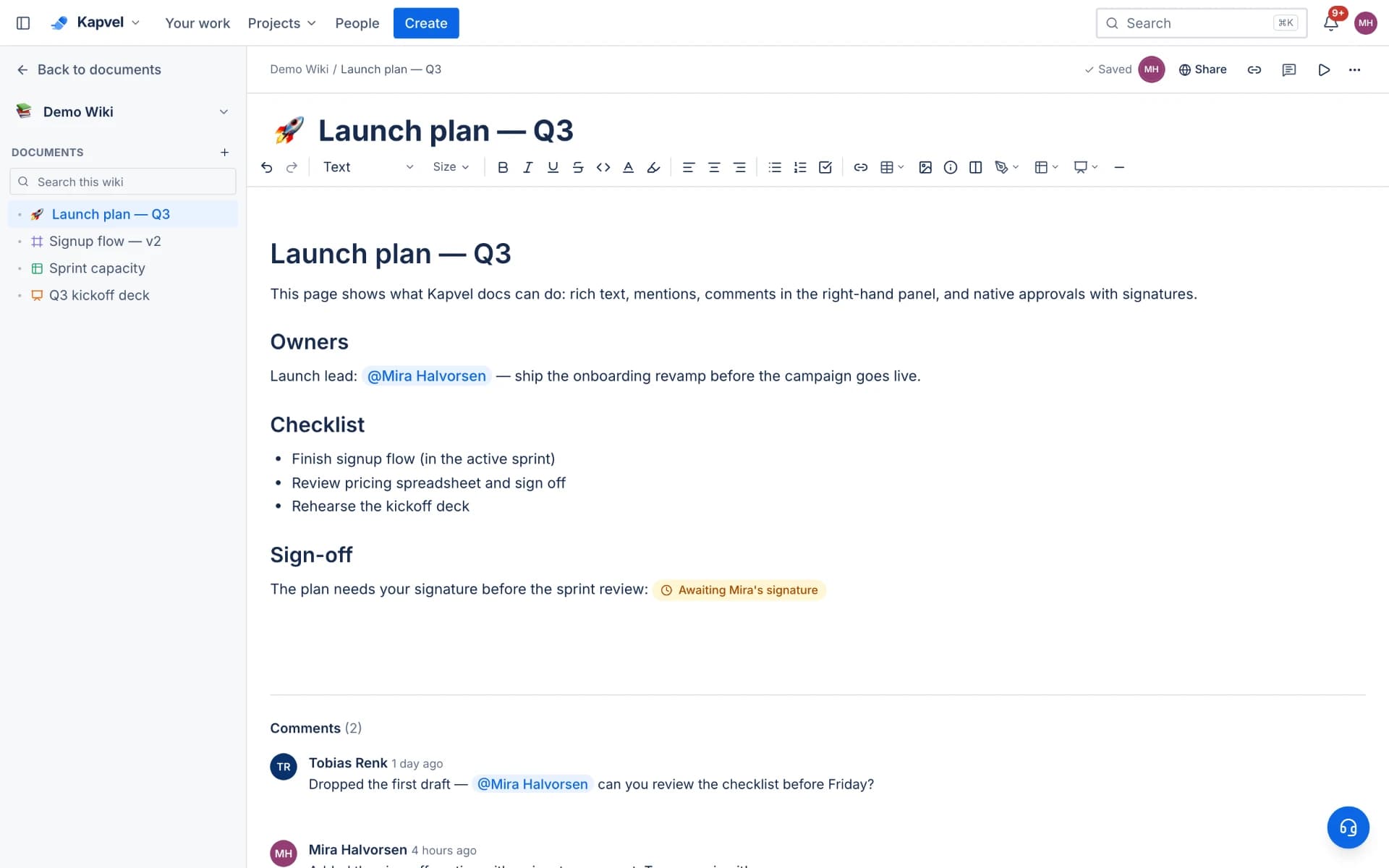
Real collaborative editing
Pages are multiplayer with live cursors and conflict-free merging, powered by CRDTs. Rich text, headings, tables, task lists, callouts, code blocks, and embeds cover everything a spec or runbook needs. Every page keeps version history.
Comments, mentions, and approvals
Discuss in a side panel with threaded comments, @mention teammates to pull them in, and — when a document needs sign-off — request a real signature with Kapvel's built-in approvals. The full audit trail stays on the page.
More than pages
A wiki space can hold whiteboards, spreadsheets, and slide decks alongside pages — one tree for everything the team writes. Publishing to the customer help center is a checkbox: pages become searchable knowledge-base articles on your support portal.
- Whiteboards, spreadsheets, and decks in the same tree
- One-click knowledge base publishing for the service desk
- Confluence import keeps hierarchy, images, and tables
See it live
This is a real interactive demo — click around, nothing to install.
A wiki that writes, calculates, and draws
Confluence-style pages with a block editor that does it all: Word-grade writing, Excel-style tables, and Figma-style whiteboards — with multiple cursors editing live, review comments, and issues embedded right in the page.
Q3 Launch Plan
Launch checklist
/panels
Do we alert the on-call channel too?
Resolved by Ana
Status updates itself — right inside the doc.
Handing the rollout to AS@Ana — she gets a notification instantly.
Any doc becomes slides — H1s and H2s are your deck.
const sla = firstResponse(2, 'h')
notify('#support', ticket)
escalate(sprint.current)
Frequently asked questions
Can I import from Confluence?
Yes. The Confluence importer brings spaces with their full page hierarchy, images, tables, and panels, and pages can be re-synced. It is the fastest way to move a team wiki without losing structure.
Do docs support realtime co-editing?
Yes — pages are fully multiplayer with live cursors, and edits merge conflict-free even when people type in the same paragraph.
Can documents require sign-off?
Yes. Any page, spreadsheet, whiteboard, or deck can carry approval requests with typed or drawn signatures, tracked with a full audit record — no DocuSign round-trip for internal sign-offs.
Keep exploring
Your team, out of eight tabs by Friday
Start free, invite the team, and import your existing projects in minutes. Boards, docs, and support — finally on speaking terms.