Whiteboards inside the workspace, not beside it
Diagrams and retros next to the issues they produce
Every Kapvel wiki space can hold whiteboards: infinite canvas, shapes, arrows, sticky-note flows, and live multiplayer cursors. Sketch the architecture in the same tree as the spec that describes it and the epic that builds it.
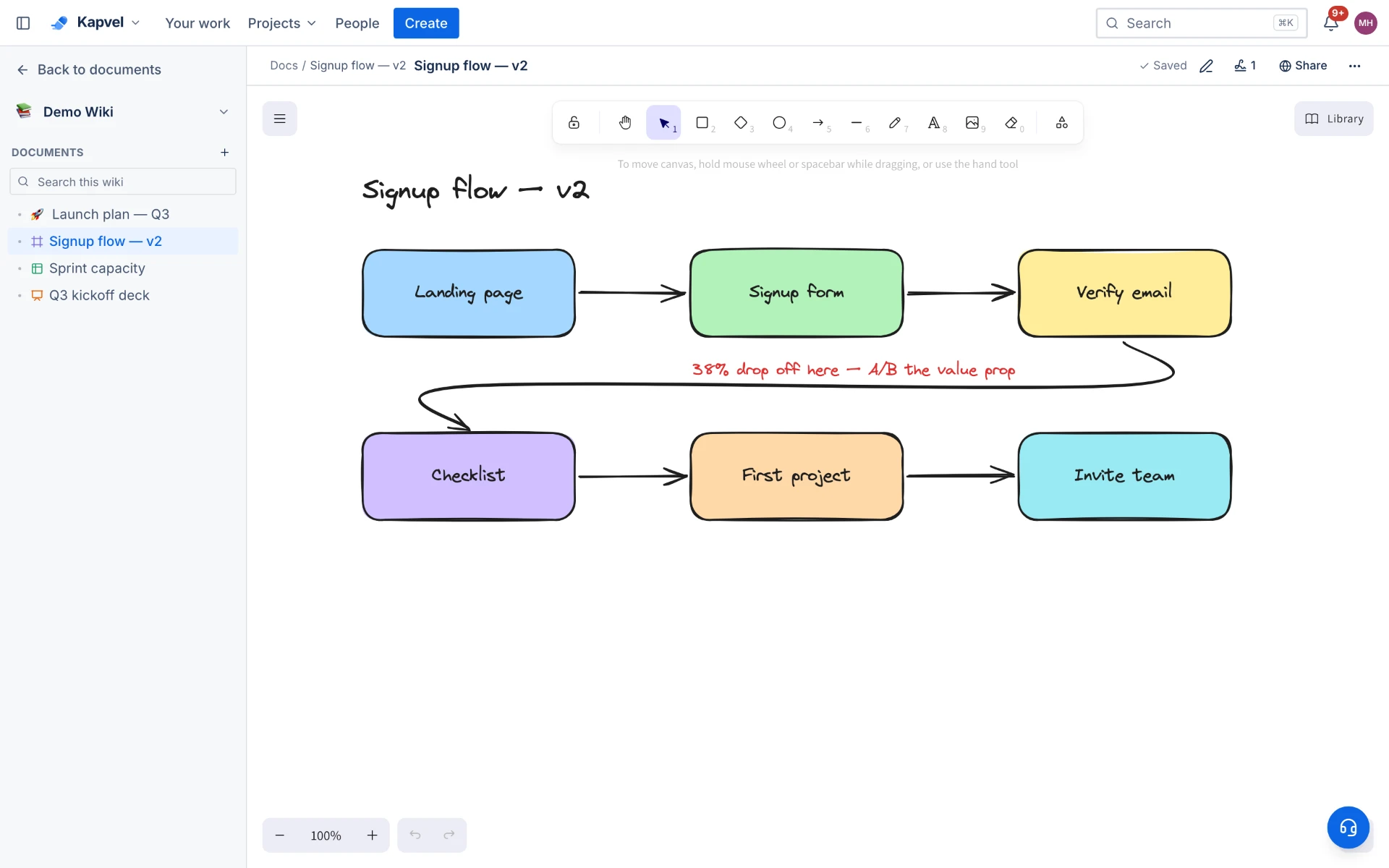
Fast, familiar drawing
Rectangles, ellipses, arrows, freehand, text, and sticky-style notes with keyboard shortcuts throughout. The canvas is powered by the same drawing engine trusted by millions of engineers, so diagrams feel effortless rather than fiddly.
Multiplayer with presence
Live cursors show who is drawing where. Run a retro or a mapping session with the whole team on the board simultaneously — changes save continuously and history survives refreshes and rage-quits alike.
Approvals on the canvas
Architecture reviews often end with "who signed off on this?". In Kapvel a whiteboard element can carry a signature request, so the decision and the drawing live together permanently.
See it live
This is a real interactive demo — click around, nothing to install.
A wiki that writes, calculates, and draws
Confluence-style pages with a block editor that does it all: Word-grade writing, Excel-style tables, and Figma-style whiteboards — with multiple cursors editing live, review comments, and issues embedded right in the page.
Q3 Launch Plan
Launch checklist
/panels
Do we alert the on-call channel too?
Resolved by Ana
Status updates itself — right inside the doc.
Handing the rollout to AS@Ana — she gets a notification instantly.
Any doc becomes slides — H1s and H2s are your deck.
const sla = firstResponse(2, 'h')
notify('#support', ticket)
escalate(sprint.current)
Frequently asked questions
Is the whiteboard realtime for multiple editors?
Yes — boards are multiplayer with live cursors and continuous saving. Everyone sees strokes and shapes as they happen.
Do whiteboards cost extra?
Whiteboards are part of the Docs module. On the Free plan they are included within your workspace limits; on paid plans Docs is a $6 add-on or included in Premium.
Can I link a whiteboard to issues or pages?
Whiteboards live in the same wiki tree as pages, spreadsheets, and decks, and can be linked from any issue or document like any other doc.
Keep exploring
Your team, out of eight tabs by Friday
Start free, invite the team, and import your existing projects in minutes. Boards, docs, and support — finally on speaking terms.